
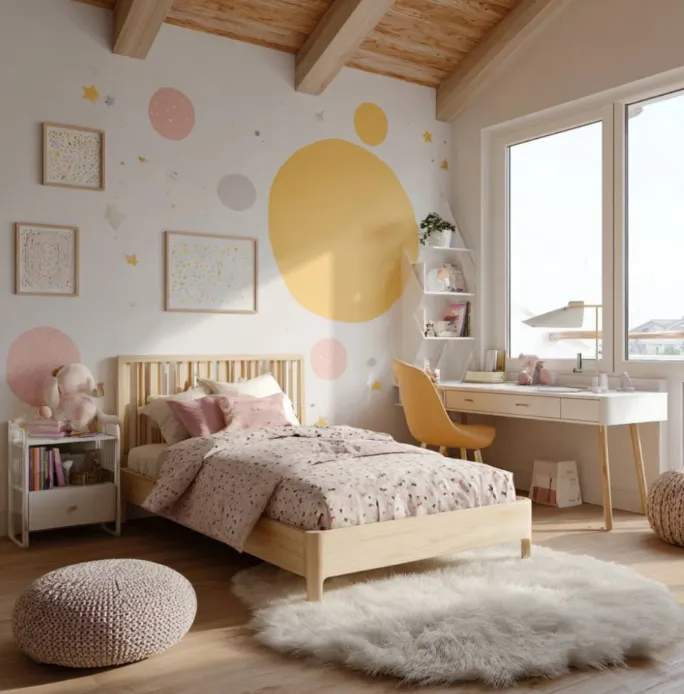
Designing a baby’s room can feel huge: you want it calm for sleep, cute for photos, and practical at 3 a.m. It’s easy to get lost in ideas and end up with a cart full of mismatched décor and furniture that doesn’t quite fit. A few smart online tools can turn that chaos into a simple, step-by-step design process. When you can test colors, layouts, and décor on screen first, you save money, time, and your sanity.
Inspiration & Color: Find Your Nursery Style Before You Shop
Start by gathering ideas instead of grabbing your wallet. Use Pinterest or similar inspiration platforms to collect nursery images, then narrow down to the three to five that actually feel like your style. Look for repeating themes—colors, textures, woods, or patterns—and write those down as your design “rules.” Next, test paint using brand visualizer tools from companies like Sherwin-Williams or Benjamin Moore; upload a photo of your room and virtually repaint it in soft neutrals or muted pastels. Once you have two or three favorite shades, order small samples and paint patches on different walls to see how they look in daylight and at night. Let your final color palette guide every later choice, from curtains to storage bins.
Layout & Storage: Make the Room Work at 2 a.m.
Pretty is nice, but you’ll care more about not bumping into furniture while half-asleep. Free 3D room planners like Roomstyler or Planner 5D let you sketch your room, drag in a crib, chair, dresser, and shelves, and see how everything fits in 2D and 3D. Measure your real space and use accurate furniture dimensions so you’re not surprised on delivery day. Aim for a layout with clear space around the crib, a reachable changing setup, and a comfortable feeding or reading corner. Then layer in simple storage: baskets, under-crib bins, and labeled drawers for diapers, sleepwear, and blankets. A layout that respects your future half-awake self is the best “design hack” you can give yourself.
Decor & Personal Touches: Add Personality Without Overstimulating
Once walls and furniture are set, you can add warmth without turning the room into a toy store. Use simple design tools like Adobe Express or print-on-demand services (for example, Shutterfly or Zazzle) to create a few coordinated pieces—name art, a birth-stats print, or a soft wall quote. Stick to one main “story” such as sky, forest, or storybook, and repeat it in small accents instead of covering every surface. Keep the wall directly around the crib relatively calm so the room still feels restful. Balance one or two statement pieces with plenty of white space and soft textiles. You want the space to feel cozy and personal, not visually noisy.
👶 FAQ: Online Pillow Design Tools for a Cozy Nursery
Pillows are an easy way to tie your nursery colors and theme together—especially for your glider or reading nook. Online pillow design tools let you test fonts, colors, and motifs that match the rest of your baby’s room without guessing in-store. Here are common pillow-specific questions new parents have when finishing their nursery.
1. What sites are best for designing nursery-friendly pillows?
Parents often start with Adobe Express, Shutterfly, and Zazzle because they combine easy design editors with integrated printing and shipping. These platforms let you upload art, add your baby’s name or a short phrase, and preview how the pillow will look before you order.
2. How do major pillow services compare on quality and simplicity?
Adobe Express focuses on approachable templates and quick customization, which is helpful if you’re new to design. Shutterfly is strong on soft, durable fabrics and photo clarity, while Zazzle stands out for lots of size and fabric options plus a huge design library.
3. Where should I design pillows specifically for my nursery chair or feeding corner?
Look for tools that show pillow dimensions clearly and offer lifestyle previews. Shutterfly and Zazzle both let you filter by size and style, so you can match the proportions of your glider or daybed, while Adobe Express helps you fine-tune the actual artwork.
4. How can I make a pillow that doubles as a keepsake?
Combine your baby’s name, birth date, or a favorite line from a lullaby with soft colors from your nursery palette. Design the layout with a custom pillow design tool in Adobe Express and then order it so the finished piece feels like décor and a memory. This kind of pillow can live in your home long after the crib is gone.
5. How do reviews help me pick the right pillow printer?
Check customer photos and comments that mention fabric feel, color accuracy, and washability. Look specifically for reviews showing pillows in nurseries or kids’ rooms so you can see how they look in real lighting. A service with consistently good feedback on softness and durability is more likely to hold up to everyday family life.
Designing a baby’s bedroom becomes much easier when each tool has a clear job. Inspiration boards help you define your style, color apps de-risk paint choices, and 3D planners make sure the layout works in real life. Simple décor and pillow design tools then add cozy, personal touches without overwhelming the space or your budget. Instead of guessing, you’re testing, adjusting, and deciding on screen first. The result is a calm, practical, and beautiful room that welcomes your baby—and supports you—through those first months and beyond.
